

Ask anyone who operates charging stations what generates the most service calls, and the screen comes up more often than you’d expect. Not the power modules. The screen.
It makes sense. The display is the only part of an EV charger the driver actually touches — and it does that job outdoors, in direct sun, in rain, at -15°C, inside a metal cabinet that soaks up summer heat. A display picked from an indoor catalog will look fine on a datasheet and fail within its first year in the field.
This guide walks through the five decisions that determine whether an EV charger display survives.
Start With the Site, Not the Datasheet
Before comparing models, write down what your chargers actually face: direct afternoon sun, driving rain, snow, road salt, summer heat building up inside the cabinet, and years between service visits. Every specification that follows traces back to this list. A charger under a hotel canopy and a charger at an open highway rest stop need different screens, even if they run identical software.
Brightness: Plan for Direct Sunlight
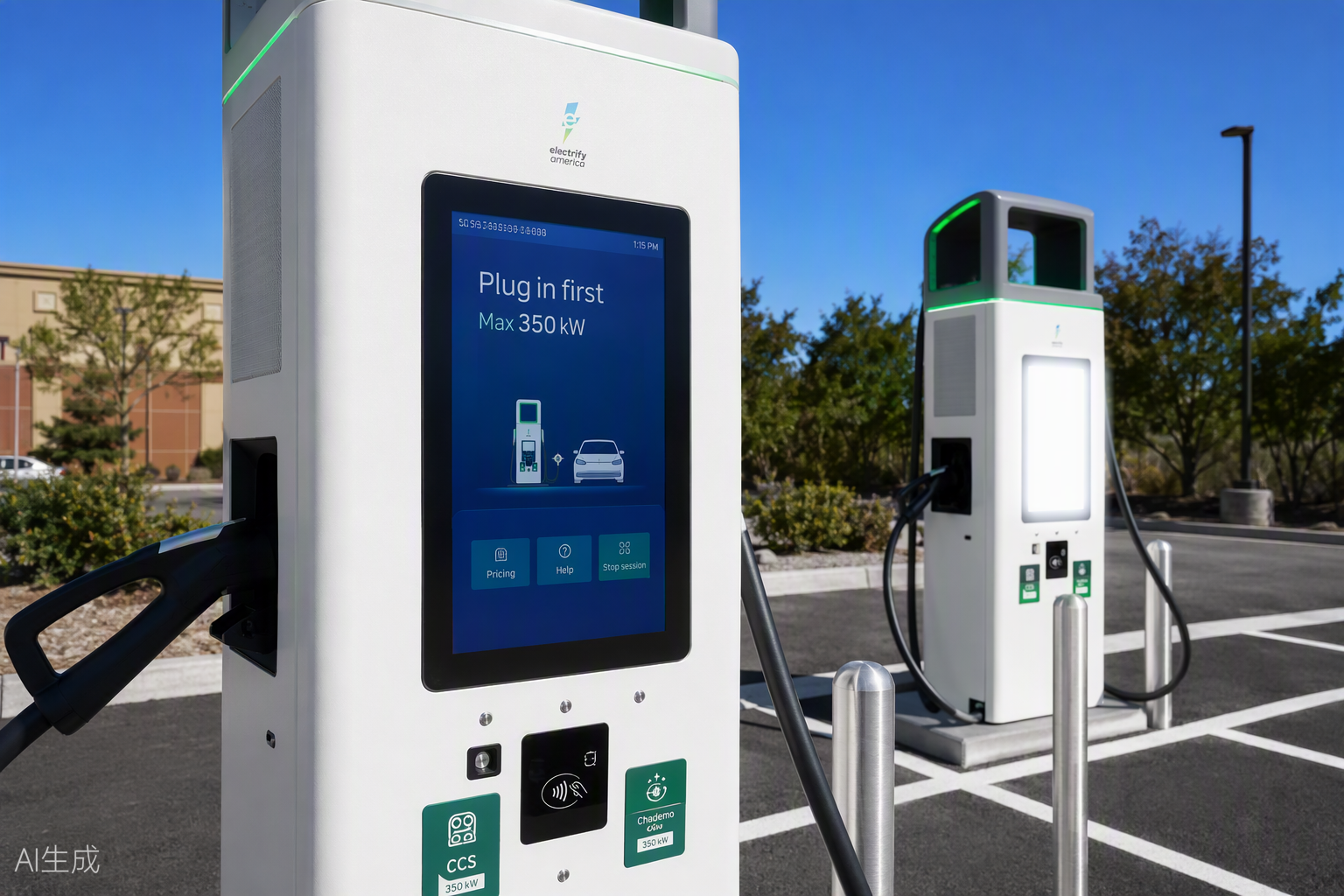
Indoor kiosks run at 250–400 nits. A charger under a canopy can work with 700–1,000. A unit standing in an open lot, facing the sun, needs 1,000 nits at minimum — and 1,500–2,000 nits in high-insolation regions like the Middle East, Australia or the US Southwest.
Then plan for the opposite problem. At 2 a.m., a 2,000-nit screen is a floodlight. An ambient light sensor with automatic dimming protects the driver’s eyes and extends backlight life.
Two things datasheets won’t volunteer. First, brightness specs describe a new panel; backlights decay, so ask for brightness at end of rated backlight life, not on day one. Second, if the screen sits behind cover glass, surface reflection consumes a large share of your nits. Anti-reflective glass or optical bonding often improves real-world readability more than buying another 500 nits.
Temperature: Check Both Ends of the Range
Standard industrial panels are rated 0 to 50°C. Chargers need wide-temperature panels, typically -20 or -30°C to 70°C.
In the cold, liquid crystal response slows and the screen ghosts or lags until it warms up. Some designs add a small heater for reliable cold starts; ask how the display behaves below freezing, not just whether it eventually turns on.
Heat is the quieter killer. Inside a sealed metal cabinet on a 35°C day, internal air temperature passes 60°C quickly, and a high-brightness backlight adds its own heat. The display’s thermal design and the charger’s ventilation have to be engineered together — bring your display supplier into that conversation early, with the cabinet drawing on the table.
Touch Technology for Wet and Cold Weather
Most chargers use PCAP touch, and it works well — until rain hits the screen. Water droplets can register as phantom touches or block detection entirely. Modern touch controllers handle this with water-rejection firmware, but implementations vary widely between suppliers. Ask for a wet-screen demonstration before you approve a sample, and test it yourself with a spray bottle.
Gloves are the second variable. Tuned PCAP handles thin gloves; thick winter gloves defeat it. In cold climates, infrared touch or a few physical confirmation buttons are a reasonable fallback — many DC fast chargers keep physical buttons for exactly this reason. Whatever you choose, protect it with 3–4 mm tempered cover glass rated for public-environment impact.
Sealing: The Display Is Only Part of the System
An IP65-rated front is the starting point, but water doesn’t respect your rating diagram. It finds the gasket seam, the cable entry, the speaker hole. Use bottom-entry cable glands, verify gasket compression in the assembly drawing, and think about condensation: a tightly sealed screen with no moisture strategy will fog from the inside after the first cold night that follows a hot day. Bonded display assemblies eliminate the internal air gap where that fog forms — one more reason outdoor chargers are moving toward bonding.
Interfaces, Power and Size
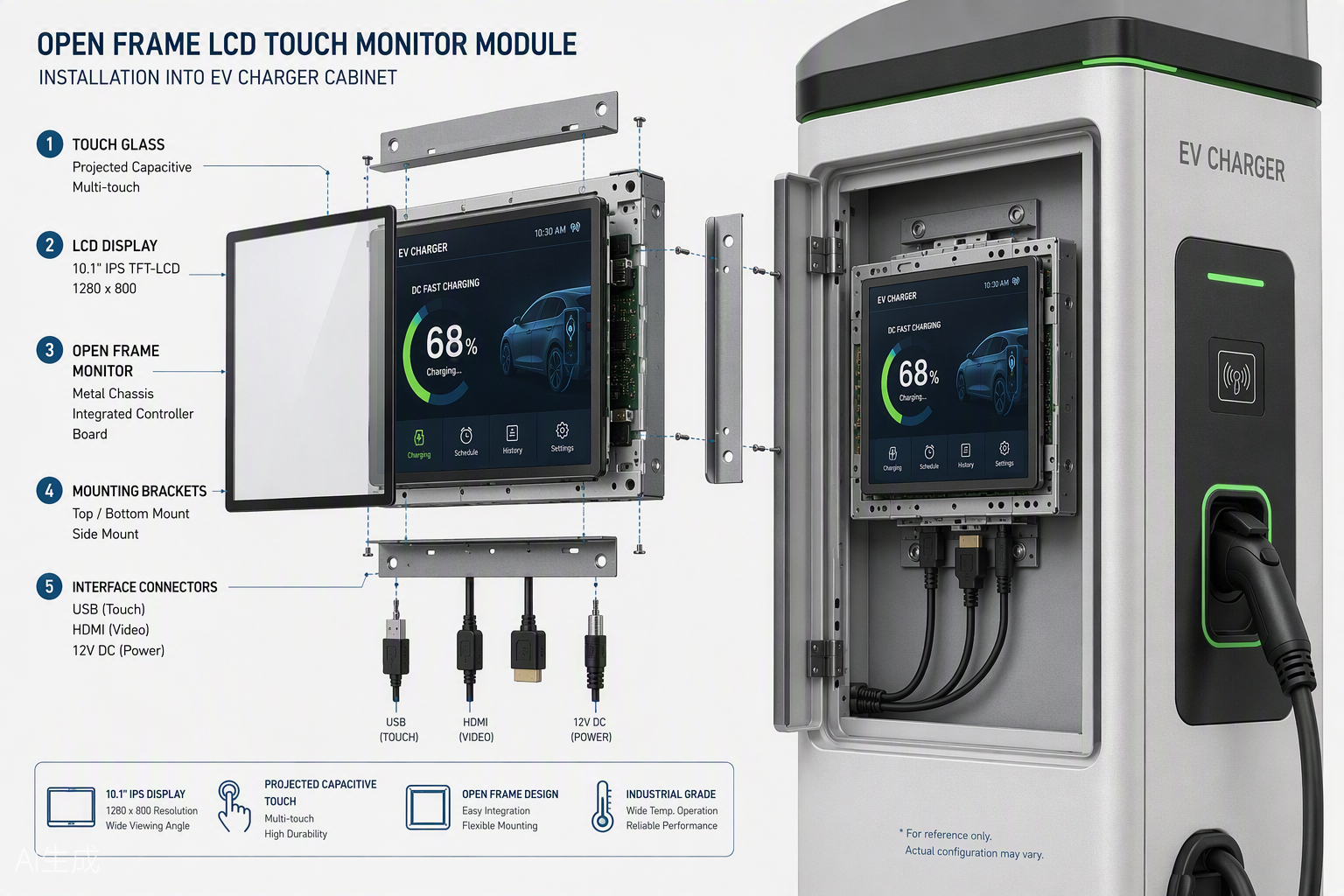
HDMI video plus USB touch is the standard pairing; some embedded designs run LVDS or eDP instead, so confirm which one your controller board expects. Power typically comes from the charger’s own 12V or 24V DC supply. Common sizes run from 7″ to 15.6″, with portrait orientation popular for payment flows; ad-supported premium units go larger. Before approving any drawing, confirm the mounting style and cable exit direction against your cabinet layout — connectors that collide with the enclosure wall are a classic one-line fix at the drawing stage and an expensive fix after tooling.
Five Questions to Ask Your Display Supplier
- What is the rated brightness at end of backlight life, not at factory-new?
- How does the display behave at -10°C at power-on — show me, don’t tell me.
- Can I see the touch screen working while wet?
- Will you review our cabinet drawing for gasket, venting and cable routing?
- Will this panel and controller still be available, or a drop-in replacement, in five years?
A supplier who answers these with specifics has done this before. A supplier who answers with a catalog has not.
FAQ
Q: What brightness does an EV charger display need?
A: Canopy-sheltered chargers typically work at 700–1,000 nits. Fully exposed units in direct sun need 1,000 nits minimum, and 1,500–2,000 nits in high-sunlight regions, paired with automatic dimming for nighttime.
Q: Can I use a standard indoor touch monitor in a charging station?
A: Not reliably. Indoor monitors are rated 0–50°C and 250–400 nits — they will wash out in sunlight and degrade fast in outdoor temperature swings. Use a wide-temperature, high-brightness display designed for outdoor integration.
Q: Which touch technology works best in rain?
A: PCAP with properly tuned water-rejection firmware is the most common choice. In cold climates where users wear thick gloves, infrared touch or physical buttons are a practical alternative.
Q: What size display do most EV chargers use?
A: Between 7″ and 15.6″ for the payment and status interface, usually in portrait orientation. Premium chargers with advertising content go up to 21.5″ or larger.
Q: Do EV charger displays need optical bonding?
A: Not strictly, but bonding reduces surface reflection, eliminates internal condensation fogging and adds structural strength — which is why it’s increasingly common on fully outdoor units.
Planning a Charging Station Project?
LFTouch builds open frame touch monitors and complete outdoor display assemblies for charger manufacturers, with wide-temperature panels, high-brightness open frame touch monitors up to 2,000+ nits and bonding in a class-10,000 cleanroom. Send us your environment specs and cabinet drawing through our contact form or WhatsApp — an engineer will reply with a display configuration, not a catalog.