

Choosing between an all-in-one touch PC and a touch monitor paired with a separate PC is one of the earliest architecture decisions in a kiosk project — and one of the most expensive to change later. Once your enclosure is designed around one form factor, switching means new metal, new mounting, and new thermal design.
This guide compares the two architectures on the five things that actually matter in the field: cost, maintenance, upgrades, heat, and reliability.
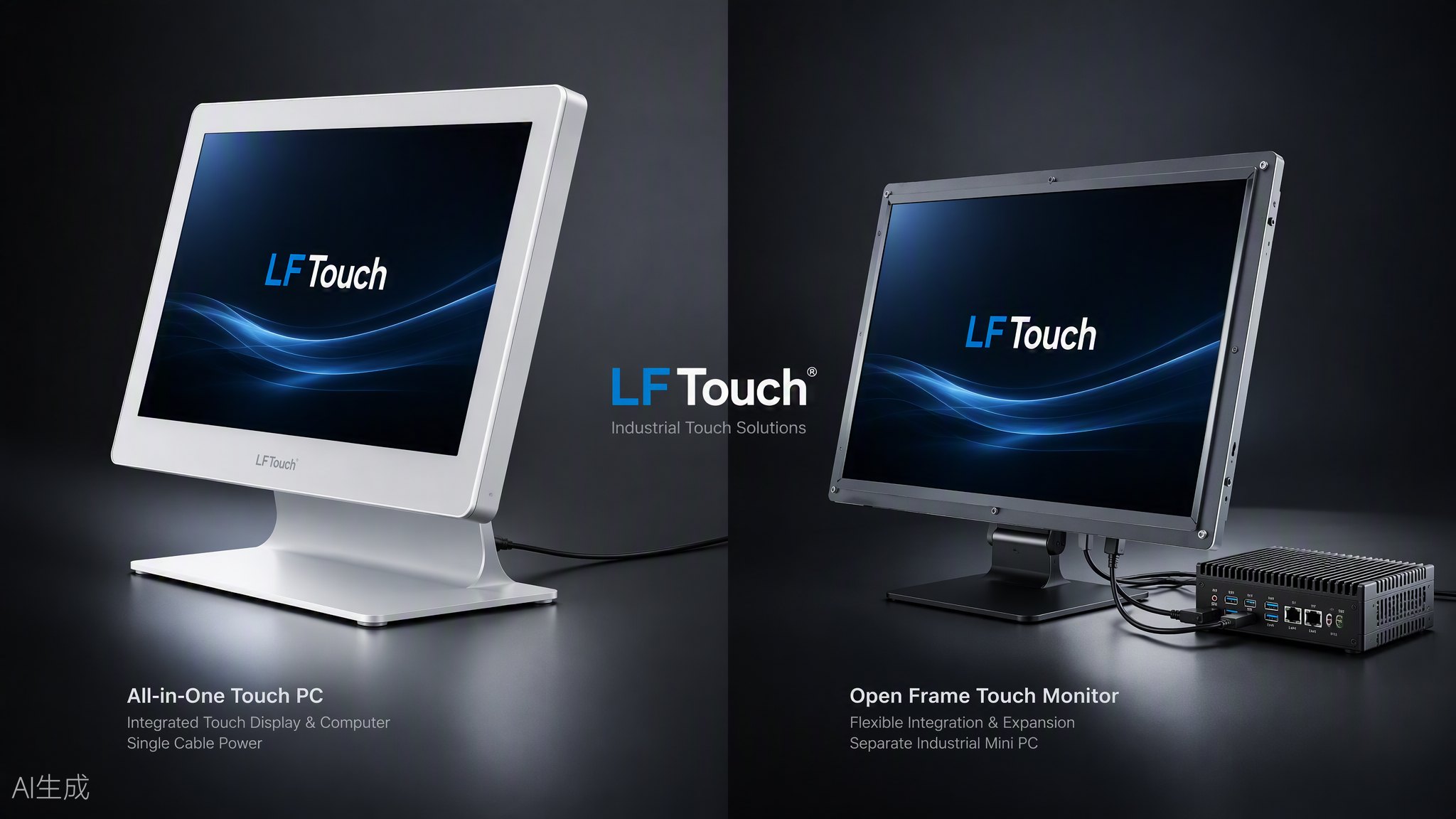
Option A: All-in-One Touch PC
A touch PC integrates the display, touch sensor, and computer motherboard into a single unit. One power input, one housing, one part number.
Where it wins:
- Compact kiosks. Payment terminals, self-ordering kiosks, and wall-mounted units where internal space is tight.
- Fast deployment. One SKU to install, cable, and manage. Field technicians swap one unit, not two.
- Clean design. No external PC box, fewer cables, easier sealing for semi-outdoor use.
Where it hurts:
- Repairs take everything down. If the motherboard fails, the whole unit goes back — display included.
- Upgrade limits. You are locked into the CPU/RAM configuration you bought. A performance upgrade means replacing the whole unit.
- Heat concentration. CPU heat sits directly behind the panel, which shortens backlight life in poorly ventilated enclosures.
Option B: Touch Monitor + Separate PC
Here the display is a dumb (but reliable) terminal: HDMI/DP for video, USB for touch, 12V DC for power. The computer lives elsewhere in the cabinet — an industrial mini PC, a boxed motherboard, even a customer’s own Android board.
Where it wins:
- Independent maintenance. Display fails? Swap the monitor. PC fails? Swap the PC. Each part has its own spare pool and its own failure rate.
- Free upgrades. Need more computing power in year three? Replace a $200 mini PC, not a $600 integrated unit.
- Better thermal design. The PC can sit in a ventilated zone of the cabinet, away from the panel.
- Customer flexibility. Many kiosk builders already standardize on their own PC platform (Intel NUC, Android RK boards). A touch monitor with standard HDMI + USB drops straight into their design.
Where it hurts:
- More cables, more space. You need room and mounting for the PC, plus cable management between the two.
- Two suppliers to manage — unless your display supplier also builds the kiosk or can pre-integrate the PC for you.
The Decision Framework
Ask these four questions:
- Who maintains the machines? If your customer has field technicians who swap parts on site, separate PC architecture lowers their long-term cost. If units go back to a central depot, all-in-one is simpler.
- How long is the project lifecycle? Under 3 years: either works. Over 5 years: separate PC wins, because you will upgrade computing before you replace the display.
- How tight is the enclosure? Slim wall-mounted designs often have no room for a separate PC box — that settles the question.
- Whose PC platform? If the end customer already has a certified software image on a specific PC, do not force them onto your all-in-one board. Ship the monitor, let them keep their PC.
A Note on Hybrid Projects
Many projects end up mixed: all-in-one touch PCs for indoor ordering kiosks, separate monitor + PC for outdoor payment terminals that need a locked, cooled PC compartment. A supplier who builds both open frame monitors and touch PCs can support the whole project with one engineering team, one warranty contact, and matched cosmetic design.
FAQ
Q: Is an all-in-one touch PC less reliable than a separate setup?
Not inherently. Reliability depends on thermal design and component grade. The real difference is failure isolation: with separate units, one failure does not take down the whole terminal.
Q: Can I start with a touch monitor and add a PC later?
Yes — this is a common path. Prototype with a monitor + your own PC, then decide at mass production whether to integrate.
Q: Which is cheaper in total?
All-in-one is usually cheaper per unit at purchase. Separate architecture is usually cheaper over a 5-year lifecycle once you count upgrades and partial replacements.
Planning a kiosk project and not sure which architecture fits? Send us your enclosure concept and requirements — we will recommend a configuration with 2D/3D drawings: sales@lftouch.com